How to Pass Google Play 14-Day Closed Testing (The Ultimate Guide)
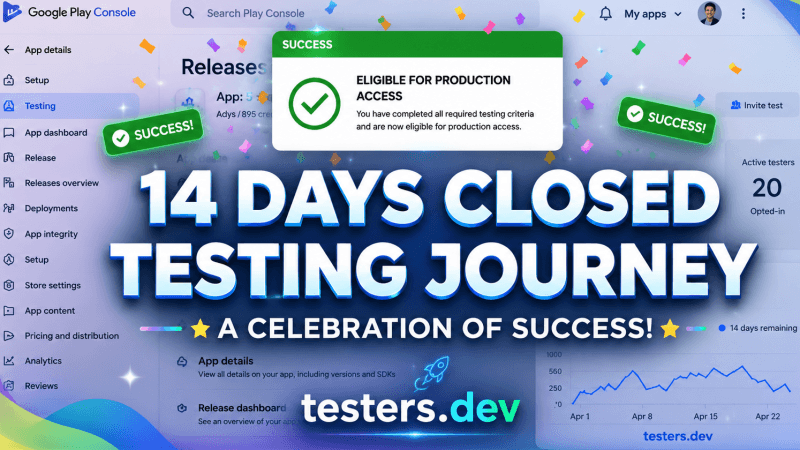
If you have recently created a personal Google Play Console developer account, you have likely encountered the most significant hurdle modern Android developers face: The Closed Testing Requirement.
You’ve spent weeks—maybe even months—building your app. You fixed bugs, optimized performance, refined the user experience, and finally generated your release build with confidence.
Then you log into the Google Play Console, ready to publish your app, only to discover one unexpected requirement: Google Play’s 12-tester closed testing policy.
For many independent developers, this becomes the biggest obstacle before launch.
If your personal Google Play Developer account was created after November 13, 2023, Google requires eligible apps to complete a closed testing phase before they can be published to production. This means you must invite at least 12 testers who remain opted into your closed test for 14 consecutive days before you can apply for production access.
What Is Google Play Closed Testing?
After months of building and polishing your Android app, publishing it on Google Play isn’t always the final step. For many new personal developer accounts, Google Play Closed Testing is required before you can request production access.
Google Play Console offers three testing tracks: Internal Testing, Closed Testing, and Open Testing. Among these, Closed Testing allows you to share your app with a selected group of testers through the Google Play Store. Simply create a Closed Testing track, upload your signed Android App Bundle (AAB), invite testers using their Google accounts or a Google Group, and have them install the app using the official opt-in link.
Unlike Internal Testing, Closed Testing is designed to gather feedback from real users and identify issues before a public release. After completing the required testing period, you can request production access. Google may review your app’s quality, stability, and compliance with Play policies before approving its release.
Rather than viewing it as just another requirement, treat Closed Testing as a valuable opportunity to improve your app and deliver the best possible experience to your future users.
What Exactly Is the 14-Day Closed Testing Requirement?
For any personal developer account created after November 13, 2023, Google explicitly restricts access to the “Production” track. You cannot simply upload an APK or App Bundle and click “Publish.” Instead, you must run a mandatory closed test.
Here is what the requirement entails in 2026:
- You must have at least 20 testers who have opted into your closed testing track
- Those testers must remain opted-in and active for a continuous 14-day period
- If the active tester count drops below 20 at any point, the 14-day counter resets to zero
- After the 14 days, you can apply for production access via a questionnaire
This strict policy acts is designed to encourage real-world testing before an app becomes publicly available. It gives developers an opportunity to identify bugs, improve stability, collect user feedback, and ensure the app is ready for release.
Why Did Google Change the Policy?
You might be wondering why Google is making it so difficult to publish an app. Historically, the Google Play Store struggled with millions of low-quality, spammy, or outright malicious applications. Developers would build “copy-paste” apps and publish them by the dozens to make quick ad revenue.
By forcing developers to find real people to test their apps for two weeks, Google achieves several goals at once:
- Eliminates Spam: Spammers rarely have the patience or resources to coordinate 12 real human testers for every low-quality app they create.
- Improves App Quality: Forcing developers to collect feedback before a public launch significantly reduces the number of immediate 1-star reviews caused by crashes on specific Android devices.
- Enhances User Safety: A 14-day window gives Google Play Protect ample time to analyze the app’s behavior on real devices to ensure it isn’t harvesting data or executing malicious code in the background.
The Right Way to Clear Closed Testing
The safest approach is to use more testers than the minimum. We recommend 25 testers — giving you a buffer of 5, so even if a couple of people encounter device issues, you never dip below Google’s 20-tester threshold.
Step 1: Set Up Your Closed Testing Track
In Google Play Console, navigate to Testing → Closed testing. Create a new release and upload your APK or AAB. Make sure your app meets all content policy requirements before inviting testers — a policy violation will block production access regardless of your testing status.
Step 2: Get Your Testing Link
Once your release is published to the closed testing track, Google generates an opt-in URL. Share this link with your testers — they must click it, accept, and then install your app from the Play Store (not sideloaded).
Step 3: Verify Tester Opt-Ins
In Play Console, go to Testing → Closed testing → Testers. You’ll see a count of how many testers have opted in. Wait until this number reaches at least 20 before your 14-day window begins counting properly. Google’s dashboard can take up to 24 hours to reflect new opt-ins.
Step 4: Maintain Engagement for 14 Days
This is where most developers struggle. Your testers need to remain opted-in and have the app installed for the full duration. Professional testing services handle this automatically — they use real devices with genuine accounts and monitor opt-in status throughout the period.
Step 5: Complete the Production Questionnaire
After the 14 days, you’ll receive access to Google’s production access form. This asks questions about your testing process, what feedback you received, and what changes you made. Having real, detailed feedback from your testers is critical here — vague answers raise flags with Google’s review team.
Common Mistakes That Reset Your Timer
- Publishing a new release to the closed track mid-cycle
- Testers uninstalling the app or revoking their opt-in
- Using emulators or rooted devices (Google detects these)
- Testers using the same Google account across multiple devices
- Starting the count before you have 20+ active opt-ins confirmed
How Long Does Production Access Take After Testing?
Once you submit the production access questionnaire, Google’s review team typically responds within 3–7 business days. If approved, your app can immediately be published to the production track and made available to all users on the Play Store.
If rejected, Google will usually give a reason. Common causes include insufficient testing feedback, policy violations in the app itself, or a questionnaire that doesn’t adequately describe the testing process.
Bottom Line
The 14-day closed testing requirement is a genuine quality gate, not just a formality. Treat it seriously: use more testers than the minimum, collect real feedback, and make sure your testers are reliable. If you want to guarantee you pass on the first attempt without spending weeks chasing volunteers, a professional testing service handles the entire process for you — opt-ins, engagement monitoring, feedback reports, and questionnaire support included.
Ready to clear your testing requirement without the headache? See how testers.dev works →